Once every device has the right seat in the right room, the next question is what happens when a dozen of them all want to talk to the host at exactly the same moment. Phone wants an update, TV wants a show, laptop wants a Teams call, the kids' tablets want three different YouTube videos simultaneously and at maximum volume. Everyone's talking, the host is one person, and we already established the host can only manage one conversation at a time. So what now?
The short version: MU-MIMO lets the host hold several separate conversations at the same time instead of queuing everyone up one at a time, but it only works if both the host and the guest know how to do it, and it will not save you from a genuinely overloaded network.
One host, one mouth, one queue
Every post so far has assumed the host can only really do one thing at a time: talk to one guest, wait for a reply, move to the next. That's how Wi-Fi has always worked at its core, and it's a big part of why a house full of devices can start to feel like a call centre with one operator and no hold music.
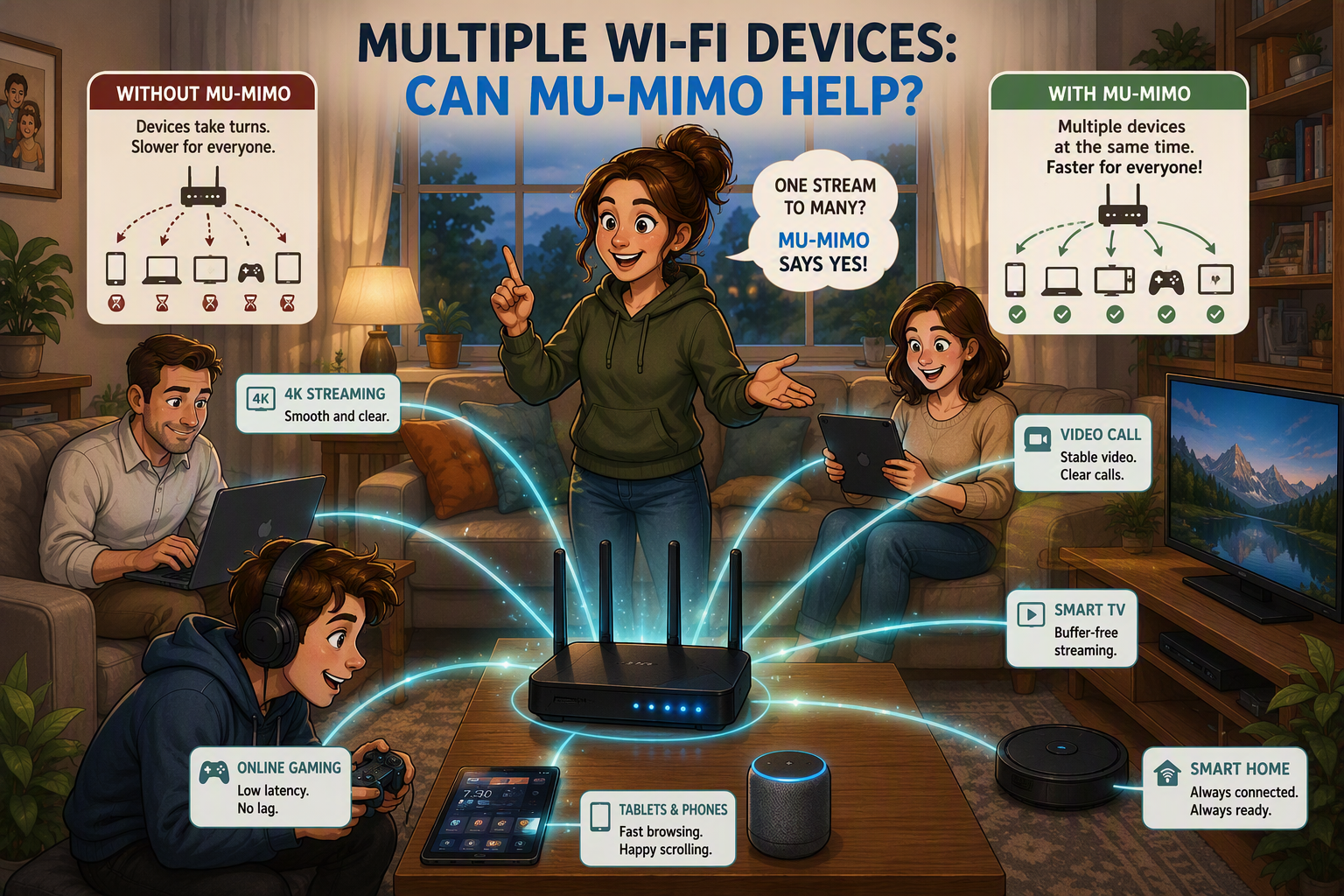
Then along came MU-MIMO: Multi-User, Multiple Input, Multiple Output, a name that sounds like something you'd need a permit for, but really just means the host has grown a few extra mouths. Instead of one conversation at a time, the host uses multiple antennas to hold several genuinely separate, simultaneous conversations, aimed at different guests using nothing but clever geometry. It is, essentially, the Wi-Fi equivalent of your mother somehow scolding three different children in three different rooms at once without turning her head. Nobody knows how she does it. The antennas do it with beamforming, shaping the signal so each guest gets their own private beam instead of one shared shout to the whole room.
Before you get too excited
Here's the catch, and there's always a catch: both ends need the party trick. Your router might proudly advertise 4x4 MU-MIMO, but if your phone only has one antenna listening, congratulations, you're still getting one conversation, just with a fancier host. MU-MIMO started out only helping in one direction too. The early version (Wi-Fi 5, 802.11ac wave 2) let the host talk to multiple guests at once on the way down, downloads, streaming, all of that, but everyone still had to take turns talking back. Wi-Fi 6 finally taught the host to listen to more than one guest at a time as well, which, if we're honest, took long enough.
And no, MU-MIMO does not mean your router can suddenly host a rave for two hundred devices without breaking a sweat, whatever the box says. It changes how fairly the conversation is shared, not how much conversation there actually is to go around. All the limits from earlier posts still apply: the walls are still there, the channel is still only so wide, and the real world speed is still a fraction of the number on the box. MU-MIMO is a better traffic cop, not a wider road.
Where it actually earns its keep
MU-MIMO is most useful in exactly the situation we started with: a genuinely busy house, several capable devices, all wanting attention at once. A smart TV, two phones, a laptop, and someone's console, all modern, all MU-MIMO capable, all trying to talk at the same time. That's where the host holding several conversations at once instead of making everyone form a queue actually shows up as a real difference.
It's considerably less exciting for a house with one laptop and a handful of smart bulbs quietly minding their own business on their own VLAN. Your bulbs are not holding you up. They were never invited to this particular party anyway.
Coming up
Speaking of a busy house full of devices, there's an even more basic question worth answering first: does your hardware actually match the internet plan you're paying for? Plenty of routers can't even accept the fastest NBN plans on offer, no matter how well tuned the Wi-Fi behind them is. That's next: The Front Door Problem, why your router might be slower than your internet plan."